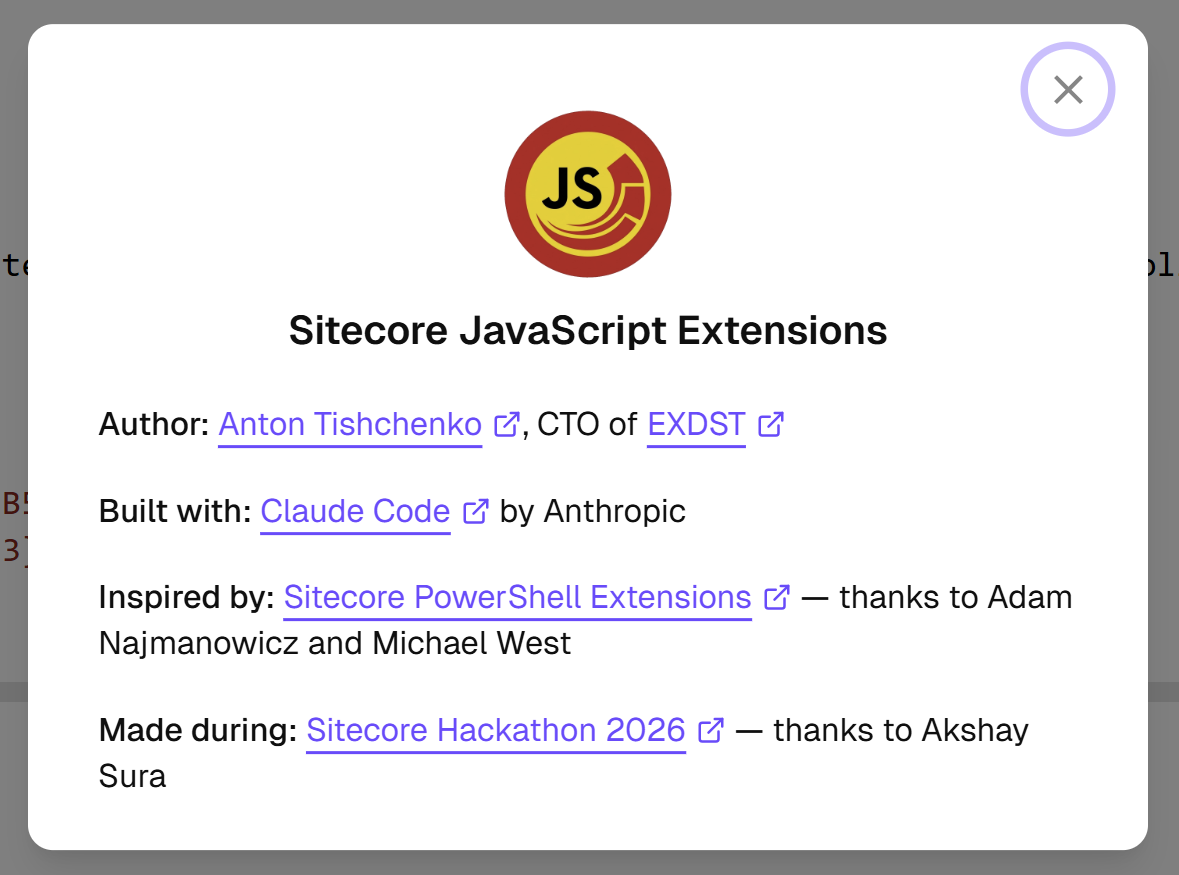


That is not clickbait. I really did it. Do you want to know how and why? I will share my steps, my mistakes, good decisions, bad decisions, and my thoughts. The text for the blog post is written without the help of AI, as well as my other blog posts. Grab a cup of tea or coffee and read the story. Or if you are already in the future, ask NotebookLM to create a podcast about it, or Claude Desktop to prepare the summary.
Have you seen news that Claude Code wrote a C compiler? Or that a startup/SaaS was recreated in one day? We are not worse. Let’s build something huge in the Sitecore world in one day!
Sitecore Hackathon
Sitecore Hackathon is a festival of Sitecore development. Teams from different countries gather for 24 hours to create something awesome. And there are brilliants each year. It is an excellent opportunity to try something new, experiment, and have fun. If you like coding and building(as coding now could be delegated), then you definitely should try it!
Team
I try to participate each year. Usually, we gather a team of a few teammates. It is always more fun to create something with a team. We even won the Hackathon one time. This year was different. I am actively experimenting with Claude Code. That is why I decided to try alone this year. AI evolves, and we don’t notice how drastically it has already changed our lives. You don’t notice small changes every day. But if you do something once a year, like participation in a Hackathon, you can really notice the difference. My team this year: me and two instances of Claude Code. You may have a maximum of three team members. But I have not found the rule that your teammates should be humans.
Ideas
This year, ideas for the Hackathon were next:
- Best Marketplace App for Sitecore AI - Build something publishable. Not just a demo.
- Applied AI Within the Sitecore Execution Pipeline - Demonstrate how AI can be embedded within Sitecore execution flows to improve quality, governance, personalization, or performance.
- Best Tool Supporting Sitecore Development (Not Built on Sitecore)
It is important to select a good category. The fewer competitors, the easier to win.
Always, you can predict categories in advance. And probably you can have some of your ideas before the Hackathon. You work with Sitecore day to day, you see something is missed, you memorize it for the future.
This year, “Marketplace App” was an easy guess. It is the recommended way to extend SitecoreAI. The second part, “Build something publishable. Not just a demo,” was not so guessable. But you always try to build something usable and publishable. You are not always successful with it. But you try. Right?
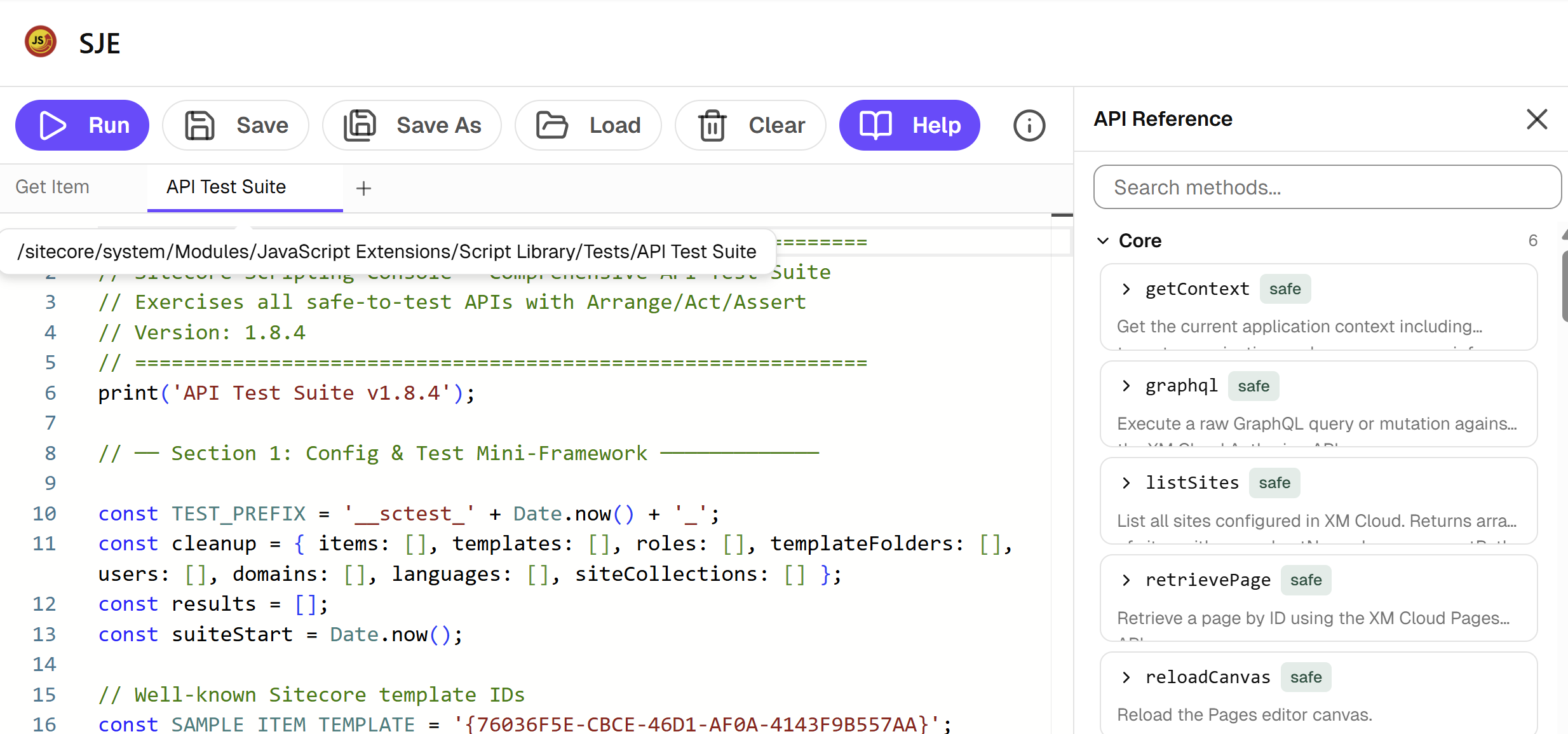
I knew for sure that I would build something for SitecoreAI Marketplace this year. I wanted to play more with SitecoreAI Marketplace. And a Hackathon is the perfect opportunity to do it. Also, I wanted to build something ambitious, because I have an unusual team. My final choice was between rebuilding Sitecore Content Editor and Sitecore PowerShell Extensions. Both tools are looks like legacy. And we are not sure what Sitecore will do with them. Rewrite? Abandon? Rethink?
It was a hard choice. Content Editor has a much more complex interface. It would be much harder to polish it to fit the “publishable” requirement. That is why I stopped on Sitecore PowerShell Extensions.
I understand that the competition in the Marketplace App ideas will be higher compared to other ideas. It is much easier to think of an idea for a module rather than implement a tool for Sitecore development or apply AI to the Sitecore execution pipeline. But when will I be able to dedicate 24 hours in a row trying to rebuild legendary SPE?
Shaping the Idea
Programming Language
SitecoreAI moves out from .NET stack. You use C# and PowerShell less and less. Also, everything will be running on the web. That is why the obvious choice is JavaScript. No need to complicate things.
It will be Sitecore JavaScript Extensions.
API
The Marketplace App should work with any instance. It means we should rely on the API that is available for the Marketplace. Marketplace uses SitecoreAI Authoring and Management GraphQL API. It allows us to do a lot of things! We will be able to make alternatives to many Sitecore PowerShell commandlets. The goal was to implement as much as possible.
Technology Stack
Sitecore has a design system called Blok. It allows all Marketplace app looks similar and consistent. It is kind of boring. After the Hackathon ended, I clicked through other Hackathon submissions and all Marketplace apps looked the same. But better boring and consistent than interesting and inconsistent.
Blok is using shadcn, if some components are missed in Blok, they could be taken from shadcn and styled.
The editor itself can be Monaco Editor. It is bulletproofed web-based code editor.
For state management, we can use Zustand. I like that bear with a guitar. It is hard to do something wrong with Zustand, and it is easy to configure a persistent store.
Working process
Claude Code
We needed to start by helping “our colleagues” to set up their environment. I coded by myself as well, but most of the time I managed Claude Code instances. I needed to make this process as smooth as possible. But I didn’t need something very advanced here. Skills, sub-agents, teams, etc., were overcomplicated for a one-day Hackathon. I might spend more time on configuration than on the implementation. It is important to keep a balance.
Claude Code works in terminals. I didn’t want to check if the task was finished or not. I needed a hook that would tell me that work was done, and it was waiting for the interaction. Nothing too fancy here: just a Windows PowerShell commandlet to show a Windows notification.
Also, I didn’t want to confirm each bash command, each editing file. The easiest option could be --dangerously-skip-permissions. That might be an option if I run Claude Code in a completely isolated environment. But I was not. That is why I went with Bash, WebSearch, WebFetch, Read, Write, Edit, Glob, Grep, mcp__plugin_chrome-devtools-mcp_chrome-devtools__*. Yes, that was also, not fully secure. But that was a compromise between security and speed.
I have Chrome MCP server enabled on the user level. I do web development too often and added these tools globally. I didn’t need to configure them separately.
In order to be efficient, I used git worktrees. It allowed me to work in parallel between two agents. Sometimes I use more than two agents for different projects. But a Hackathon is a short event. And juggling even two agents in a short period of time would be a challenge.
The decision to use worktrees means a lot of commits. And there were conflicts. And there were merges. I didn’t want to do it by myself. I left it to AI. The two Claude commands git-pull and git-push were added.
SitecoreAI
In order to be able to experiment, we needed a Sitecore instance that we could break. Something may always go wrong. I spun up a default Sitecore instance for it. There were just a few changes. I enabled SPE by setting up SITECORE_SPE_ELEVATION environment variable. And I enabled GraphQL IDE. It was required in order to be able to test and troubleshoot things that we implement.
The Foundation
If something could be done without AI at a similar speed to AI, then I did it without AI. For example, the starter. I used marketplace-starter for it.
The Vibe
Then, everything was ready for coding, for vibe-coding.
I made one big mistake. I did not take a lot of screenshots. I was concentrated on getting things done and did not think about the story… So, you have to believe me or go through the commit history to see how the application evolved over time.
I started from the basics. Adding Monaco Editor, a few buttons, the ability to run code, and checking if my idea is possible, or if I missed something. That was easy, everything worked as expected. But here I made another mistake. Claude Code ignored my prompt to use Sitecore Blok. It used shadcn, but not the Blok. The proper step here would be to fix it at once. But I focused on functionality over the design. That cost me additional time in the future.
Naming Decisions
Making your library convenient is a big deal. You may create a great thing, but if you name your objects, functions, classes, and methods in a bad manner, then it will be hard to use. But also, I didn’t want to spend time and fluctuate between one version and another. The conventions that I decided to use:
Sitecoreis the once global object that includes all methodsscis an alias forSitecoreSitecoreThe object contains properties that group domain logic. E.g.Sitecore.Contentfor content access.Sitecore.Indexesfor operations with Sitecore indexes.
// Get a content item by path
const item = await Sitecore.getItem("/sitecore/content");
const item1 = await Sitecore.Content.getItem("/sitecore/content");
const item2 = await sc.Content.getItem("/sitecore/content")
print(item.name, item1.name, item2.name);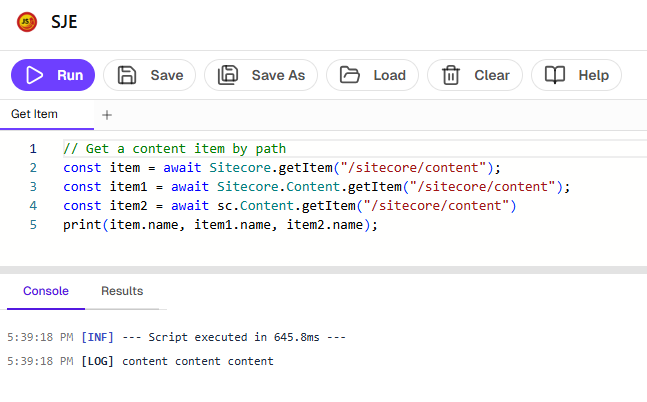
Generation
I had access to the whole GraphQL schema. I downloaded it and delegated Claude Code to implement the API, following the conventions that we agreed on. AI is good with GraphQL. It generated a lot. It only needed to be guided on how to save it and where. And as a result, we got about 100 methods.
Help
100 methods… The user should know about them. The user should know how to use them, what parameters to pass, and what the output would be. But with AI, it becomes tricky. We can not have methods and help separately. Otherwise, the user or AI agent may update the code, but forget to update the help. That is why help information was autogenerated based on the type definitions. Following the usual software development practices, type files should also be generated. I just didn’t manage to do it in the given timeframe. But from the other side. It works without it! AI created .d.ts files and they work fine. Do we even need classic code generation anymore? I think yes. But the reason why was changed. Previously, we needed it to save developers time. Now we need it to save tokens and make the context smaller.
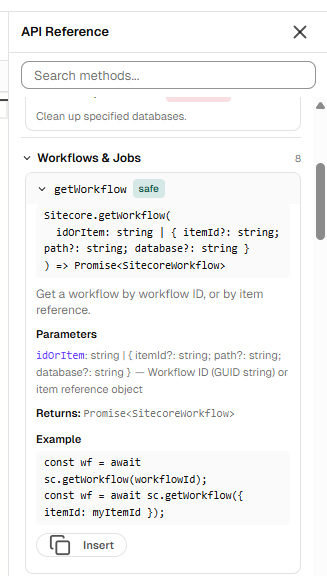
I am happy with the help. It is not overwhelmed. You can easily find the method that you need, review the signature, what should be passed, and what will be returned. And you can insert it to code editor to save your time.
Output
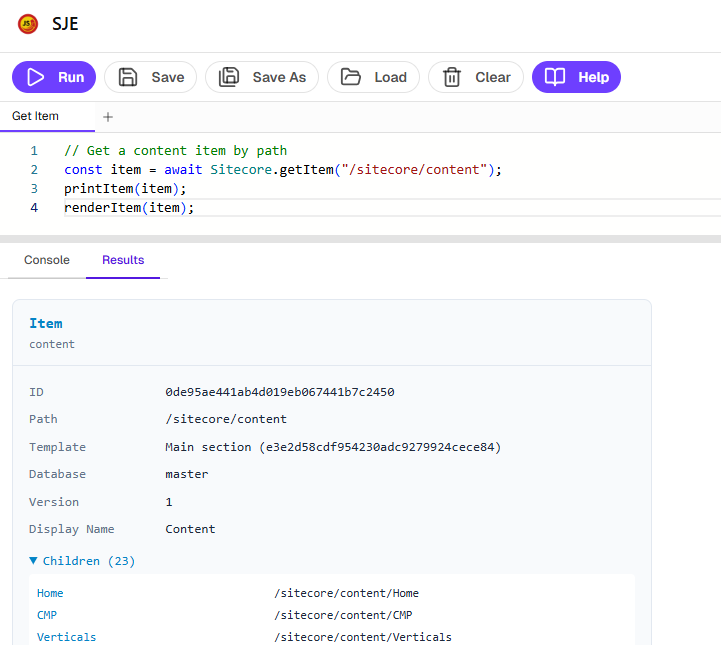
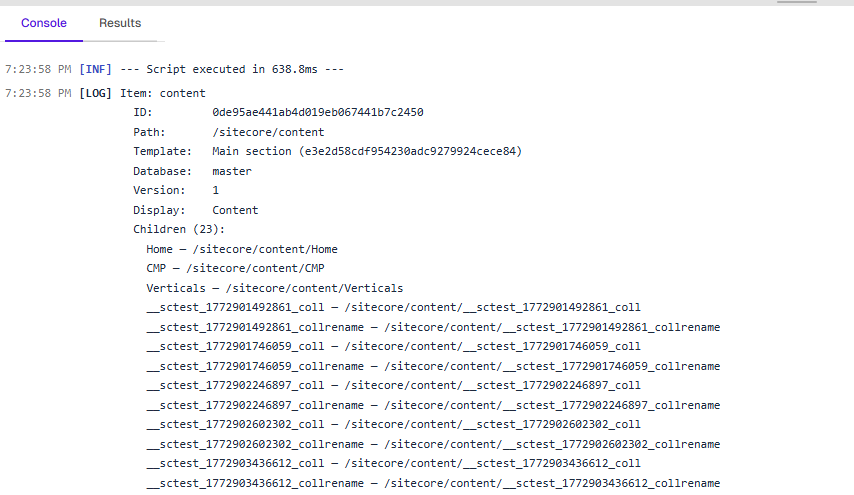
Running scripts requires feedback. You want to see the results of your work. You should be able to troubleshoot. We are in a browser context. And you can always use console.log. But that is not very convenient.
We needed some interface to show the results. I decided that I want “classic” console-like output and more advanced, nice visual output. We are in a browser, we are powered by shadcn, nothing stops us. Here is a list of output helpers available for use:
print- prints to consolestringrender- rendersstringasHTMLprintItem- prints itemrenderItem- renders itemprintTemplate- prints templaterenderTemplate- renders templateprintUser- prints userrenderUser- renders userprintRole- prints rolerenderRole- renders role
Saving and Loading
I wanted to be able to load predefined scripts. And I also wanted to give users the ability to save their own scripts. Here I have doubts. There could be options for how to implement it.
We can use Zustand persistent storage. It will save everything in Local Storage. Scripts will be shared across different Sitecore environments if you use the same Sitecore Marketplace application. Is it a bug? Or is it a feature? But your scripts will not be shared with your colleagues. Is it a bug? Or is feature?
We can use Sitecore to save items. Items will be created during the first application start to avoid additional configuration steps. It will compare the root item version and, based on it, either recreate all scripts or skip initialization for already initialized modules. Saving in Sitecore allows you to share scripts with colleagues. But your scripts are not shared across the environments. Again, bug or feature? Indeed, there could be a much larger number of options how to manage scripts. But that is not for 24-hours event.
Initially, I selected an approach to save using Zustand in local storage. But then reimplemented it for Sitecore items. And now, I think that a mixed approach should be used. There is no need to save default scripts. They could be hardcoded, and you should not be able to change them. User scripts should be saved in Sitecore to allow sharing them with your teammates.
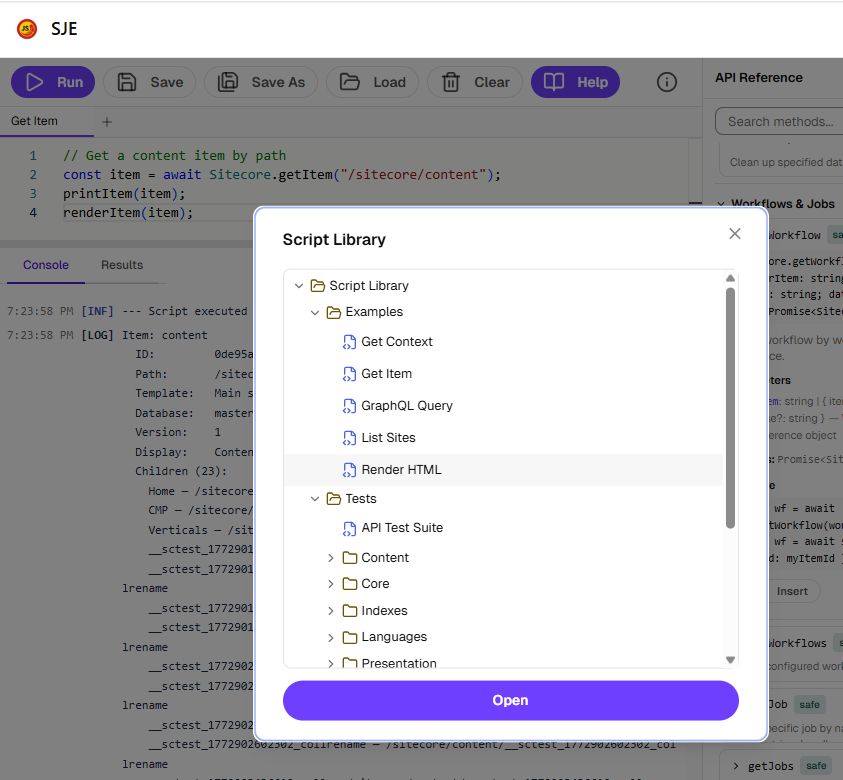
It should not break, but just in case if something goes wrong: there are /sitecore/system/Modules/JavaScript Extensions and /sitecore/templates/Modules/JavaScript Extensions items that are created by this application. You can easily remove them. They will be recreated during next start.
Quality Assurance
We got ~100 methods. Do you trust AI? I am not, not fully. That is why everything should be tested. And that was the part that took a major part of the time. Otherwise, I can not give this application to others. Everything should be tested by integration tests. Unit tests will not cover everything. Unit tests may show that some code was called, and that this code calls some GraphQL query. But does this query work? Only an integration test can show it. But not all integration tests are safe. Some create something. Some delete something. Everything should be cleaned up.
Initially, I was very disappointed. Only 10 tests passed. But I didn’t give up. Together with Claude Code, we moved test by test. I helped with running in the GraphQL IDE, and we managed to cover almost all methods and achieved 100% test passing. It took hours, but it was worth it. Otherwise, it would be just a nice toy. Now, it is a Marketplace Application that can be really published to the marketplace.
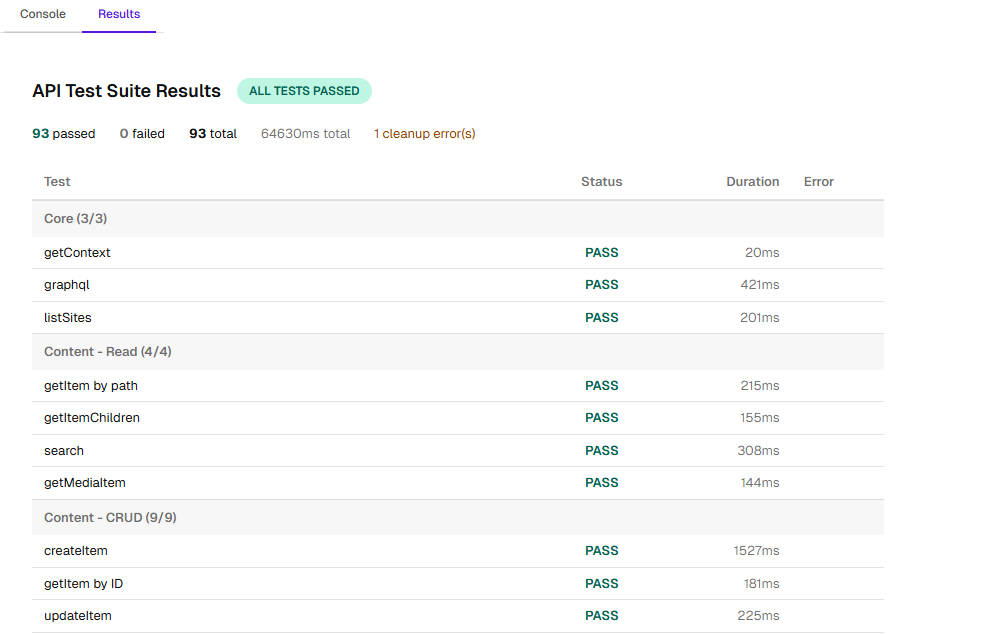
There is still a small number of methods that are not covered by tests: startWorkflow, executeWorkflowCommand, site-related methods(I didn’t dare to create a lot of test sites just in order to test the method. Breaking the environment might bring me a few hours back…), translation methods(it is not configured in my SitecoreAI account).
Documentation
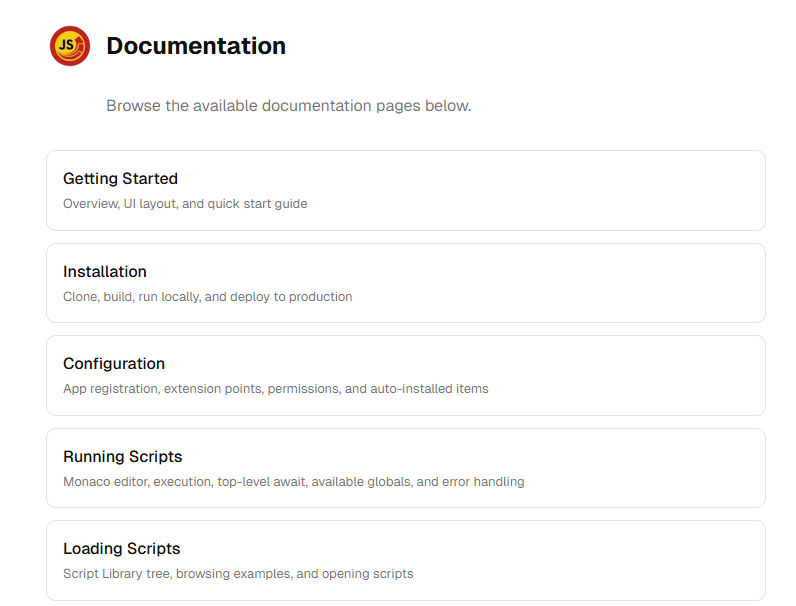
I appreciate the Sitecore Hackathon judges’ time. And I wrote the README.md and the main part of the documentation by myself. I didn’t want judges to read an AI slop. The problem was that me together with Claude Code and I did too much. I just wasn’t able to write everything by myself. That is why the detailed documentation is AI-generated. This documentation is available on GitHub as markdown files. But also, if you open the application URL not in the Sitecore context, then you will see this documentation rendered as a page. The next steps that I planned were documentation for AI agents, but I didn’t have time for it. The last commit was pushed just 3 minutes before the deadline.
How to Try?
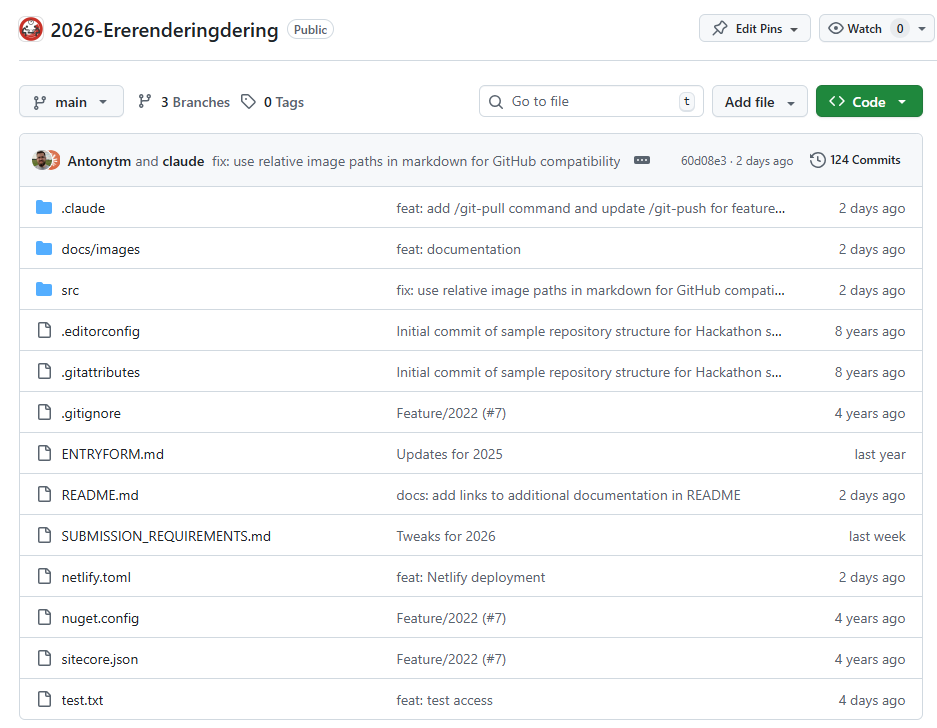
If you read(or scrolled) to this part, then probably you are interested. It is easy to try. You need to clone the Hackathon repository from the Github and follow the installation instructions.
Plans
I have not decided if I will continue to work on this project. Everything will depend on the community feedback. If I feel that it is something valuable, then I will definitely fork it, make improvements, rewrite some things, and publish it. But I can’t promise you anything right now. There is still a lot of work, and releasing such a module is a big responsibility.
You are free to use it as is. Or use it as inspiration for your modern scripting tools inside Sitecore.
Or use it if your company decided that you should live without SITECORE_SPE_ELEVATION allowed.
Conclusions
I think my experiment succeeded. I had built an alternative to SPE in one day using AI tools. I still can not believe how much development has changed in just one year. I would not even consider such an ambitious idea for a one-day Hackathon. Today it is absolutely possible. Your role shifted from developer to architect/manager. It is a great time for dreamers and builders.
See you next year at the Sitecore Hackathon 2027! We will be reimplementing the whole SitecoreAI. Just kidding! Or no, who knows…. ❤️